How Dependency Firewall checks every package before install
Dependency Firewall sits between your builds and the package registries. Each request is checked against your rules before the package reaches a developer, pipeline or AI agent.
Where Dependency Firewall sits
Between the public registries and everything that installs packages. Clients keep using npm, pip, Maven or Docker. Only the registry URL changes.


Dependency Firewall
Policy engine
Your environment
Public registries
Dependency Firewall
Policy engine
Your environment
Follow one package request
A pipeline asks for lodash 4.17.20, a version with a known high-severity CVE. Here is what the firewall does with it.
- 1
Request
A CI job runs npm install. npm asks the firewall for lodash, the same way it would ask the public registry.
$ npm install lodash@4.17.20# registry=https://registry.bytesafe.dev/r/team-web/ - 2
Check
Dependency Firewall fetches the package from upstream and runs every rule on the firewall against it.
lodash@4.17.205 rules on team-web- Known malwareNo match
- Install scriptsNone
- Release age ≥ 7 daysPublished 2020
- License allowlistMIT
- CVSS ≥ 7.0CVE-2021-23337, 7.2
- 3
Decide
One failing rule is enough. The version is blocked, and npm sees a version that does not exist.
npm error code ETARGETnpm error notarget No matching version found for lodash@4.17.20. - 4
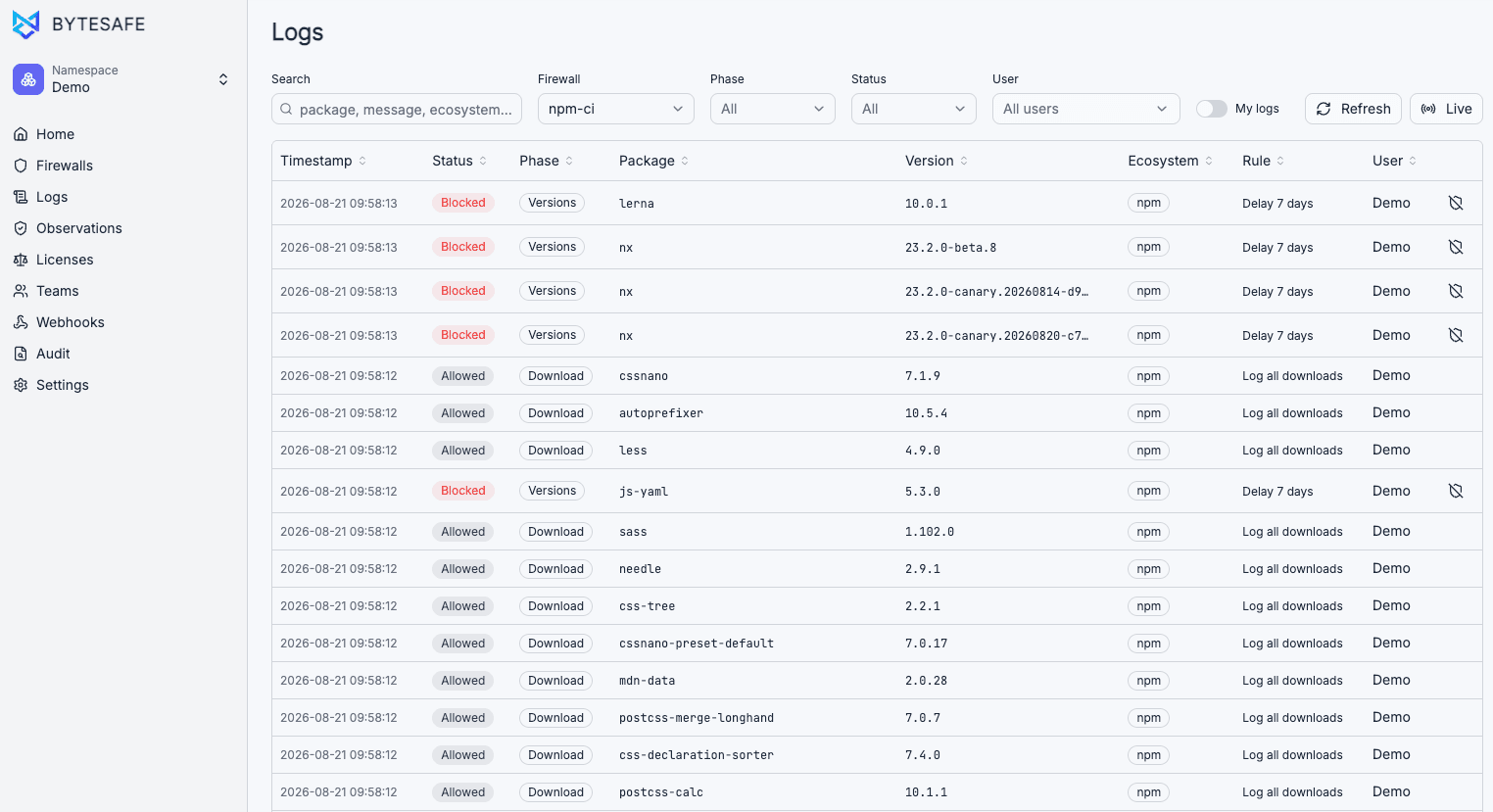
Log
The build stops before any code from the package runs. The log records the rule, package, version, user and IP.
- Time
- 2026-09-29 09:58:13
- Status
- Blocked
- Package
- lodash@4.17.20
- Rule
- CVSS ≥ 7.0
- User
- ci-web (GitHub Actions)
- IP
- 10.0.4.17
Every request ends in one of four states
All four are logged with the same detail. Filter the log by status, firewall, phase or user.
- Allowed
- The package passes every rule and installs as usual.
- Blocked
- A rule failed. The client gets version not found, and the log shows which rule.
- Delayed
- The version is newer than the hold window you set. Clients do not see it until it is old enough.
- By exception
- An admin unblocked this package for a set time. The reason and expiry are logged.
What Dependency Firewall checks
Each firewall runs the checks you turn on, on every request, across all supported ecosystems.
- Malware
- Blocks packages that match malware data, including malicious payloads and suspicious install hooks.
- Vulnerabilities
- Blocks CVEs above a CVSS or EPSS score you set. New advisories apply on the next request.
- Dependency confusion
- On by default. Internal package names always resolve from your private registry.
- Licenses
- Blocks disallowed licenses before they reach a build.
- Release age
- Holds newly published versions for a window you set, so malware feeds can catch a bad release first.
- Trust downgrades
- Flags npm releases published with weaker provenance than the version before them. npm only today.
- Container layers
- Scans every image layer for malware and secrets, and matches apk, dpkg and rpm packages against advisories.
- Your own rules
- Block or allow by package name, version range, requester, team or upstream source.
Write your own rules
A rule matches on one or more conditions, then blocks the request or only logs it. Rules stack per firewall and apply on save.
Rules can match on
- Package name
- Version range
- Upstream
- Internal or external
- CVSS and EPSS
- Known malware
- Package age
- Provenance downgrade
- Deprecation
- Previous observations
- Secrets
On by default
Dependency confusion protection, and a check for upstreams that disagree about the same package.
Rules as code
Manage rules through the API from GitOps or your automation, and roll back to any earlier configuration.
Runs as the client asks which versions exist. Filtered versions are invisible to the client.
While resolving the available versions of any package released within the last 7 days:
Blocks the version and records a log entry.
Also evaluated when a matching version is downloaded directly. The same effect applies to the download.
Dependency Firewall offer
Half the base fee for your first 3 months
€49.50 instead of €99 per month, plus €100 usage credit. Start with a 14-day trial, no card required. See what's new
Works with the repositories you already use
Dependency Firewall acts as a proxy in front of your existing repository. Developers and CI/CD pipelines keep their existing registry URLs and credentials. No migration required.
Start from a use case
Each use case covers one problem and how the firewall handles it.
- Malware blockingStop malicious packages before they reach developer machines.
- Vulnerability blockingStop packages with known CVEs before they reach developers.
- CI/CD pipeline protectionApply the same package rules to every automated build.
- Zero-day safety delayHold newly published versions before they reach developers.
- Dependency confusionInternal packages always resolve from your private registry.
- License enforcementBlock disallowed licenses before they enter a build.
Route one pipeline through the firewall
Start with a single CI job or one developer's npm config. The firewall log shows what was allowed, what was blocked and which rule decided.